
Semantic Segmentation
Install Package
Clone the GitHub repo:
git clone https://github.com/zhanghang1989/PyTorch-Encoding
Install PyTorch Encoding (if not yet). Please follow the installation guide Installing PyTorch Encoding.
Get Pre-trained Model
Hint
- The model names contain the training information. For instance
EncNet_ResNet50s_ADE: EncNetindicate the algorithm is “Context Encoding for Semantic Segmentation”ResNet50is the name of backbone network.ADEmeans the ADE20K dataset.
How to get pretrained model, for example EncNet_ResNet50s_ADE:
model = encoding.models.get_model('EncNet_ResNet50s_ADE', pretrained=True)
After clicking cmd in the table, the command for training the model can be found below the table.
ResNeSt Backbone Models
ResNet Backbone Models
ADE20K Dataset
| Model | pixAcc | mIoU | Command |
|---|---|---|---|
| FCN_ResNet50s_ADE | 78.7% | 38.5% | cmd |
| EncNet_ResNet50s_ADE | 80.1% | 41.5% | cmd |
| EncNet_ResNet101s_ADE | 81.3% | 44.4% | cmd |
Pascal Context Dataset
| Model | pixAcc | mIoU | Command |
|---|---|---|---|
| Encnet_ResNet50s_PContext | 79.2% | 51.0% | cmd |
| EncNet_ResNet101s_PContext | 80.7% | 54.1% | cmd |
Test Pretrained
Prepare the datasets by runing the scripts in the
scripts/folder, for example preparingPASCAL Contextdataset:python scripts/prepare_ade20k.py
The test script is in the
experiments/segmentation/folder. For evaluating the model (using MS), for exampleEncNet_ResNet50s_ADE:python test.py --dataset ADE20K --model-zoo EncNet_ResNet50s_ADE --eval # pixAcc: 0.801, mIoU: 0.415: 100%|████████████████████████| 250/250
Train Your Own Model
Prepare the datasets by runing the scripts in the
scripts/folder, for example preparingADE20Kdataset:python scripts/prepare_ade20k.py
The training script is in the
experiments/segmentation/folder, example training command:python train.py --dataset ade20k --model encnet --aux --se-loss
Detail training options, please run
python train.py -h. Commands for reproducing pre-trained models can be found in the table.
Hint
The validation metrics during the training only using center-crop is just for monitoring the training correctness purpose. For evaluating the pretrained model on validation set using MS, please use the command:
python test.py --dataset pcontext --model encnet --aux --se-loss --resume mycheckpoint --eval
Quick Demo
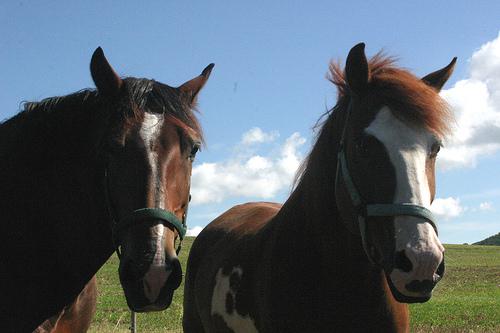
import torch
import encoding

# Get the model
model = encoding.models.get_model('Encnet_ResNet50s_PContext', pretrained=True).cuda()
model.eval()

# Prepare the image
url = 'https://github.com/zhanghang1989/image-data/blob/master/' + \
      'encoding/segmentation/pcontext/2010_001829_org.jpg?raw=true'
filename = 'example.jpg'
img = encoding.utils.load_image(
    encoding.utils.download(url, filename)).cuda().unsqueeze(0)

# Make prediction
output = model.evaluate(img)
predict = torch.max(output, 1)[1].cpu().numpy() + 1

# Get color pallete for visualization
mask = encoding.utils.get_mask_pallete(predict, 'pascal_voc')
mask.save('output.png')

Citation
Note
Hang Zhang et al. “ResNeSt: Split-Attention Networks” arXiv 2020:
@article{zhang2020resnest,
title={ResNeSt: Split-Attention Networks},
author={Zhang, Hang and Wu, Chongruo and Zhang, Zhongyue and Zhu, Yi and Zhang, Zhi and Lin, Haibin and Sun, Yue and He, Tong and Muller, Jonas and Manmatha, R. and Li, Mu and Smola, Alexander},
journal={arXiv preprint arXiv:2004.08955},
year={2020}
}
Hang Zhang, Kristin Dana, Jianping Shi, Zhongyue Zhang, Xiaogang Wang, Ambrish Tyagi, Amit Agrawal. “Context Encoding for Semantic Segmentation” The IEEE Conference on Computer Vision and Pattern Recognition (CVPR) 2018:
@InProceedings{Zhang_2018_CVPR,
author = {Zhang, Hang and Dana, Kristin and Shi, Jianping and Zhang, Zhongyue and Wang, Xiaogang and Tyagi, Ambrish and Agrawal, Amit},
title = {Context Encoding for Semantic Segmentation},
booktitle = {The IEEE Conference on Computer Vision and Pattern Recognition (CVPR)},
month = {June},
year = {2018}
}